Your Fitbit data,
made legible.
OpenFit rebuilds your Fitbit & Google Health data into a calm, WHOOP-style dashboard: sleep, recovery, strain, and stress. No subscription. Nothing ever leaves your phone.
Every metric, read at a glance
OpenFit takes the raw numbers Fitbit collects and turns them into screens you actually want to open every morning.
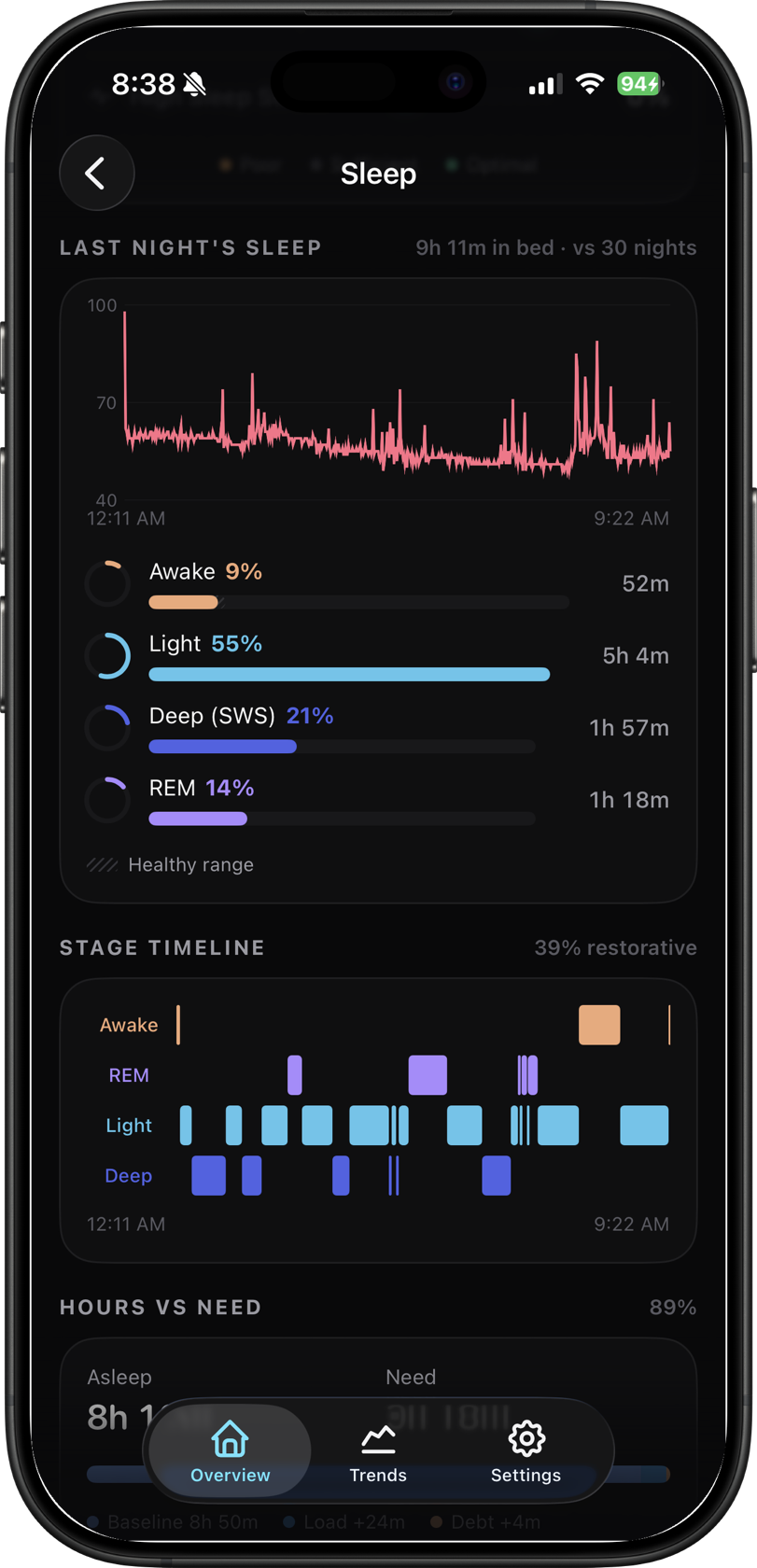
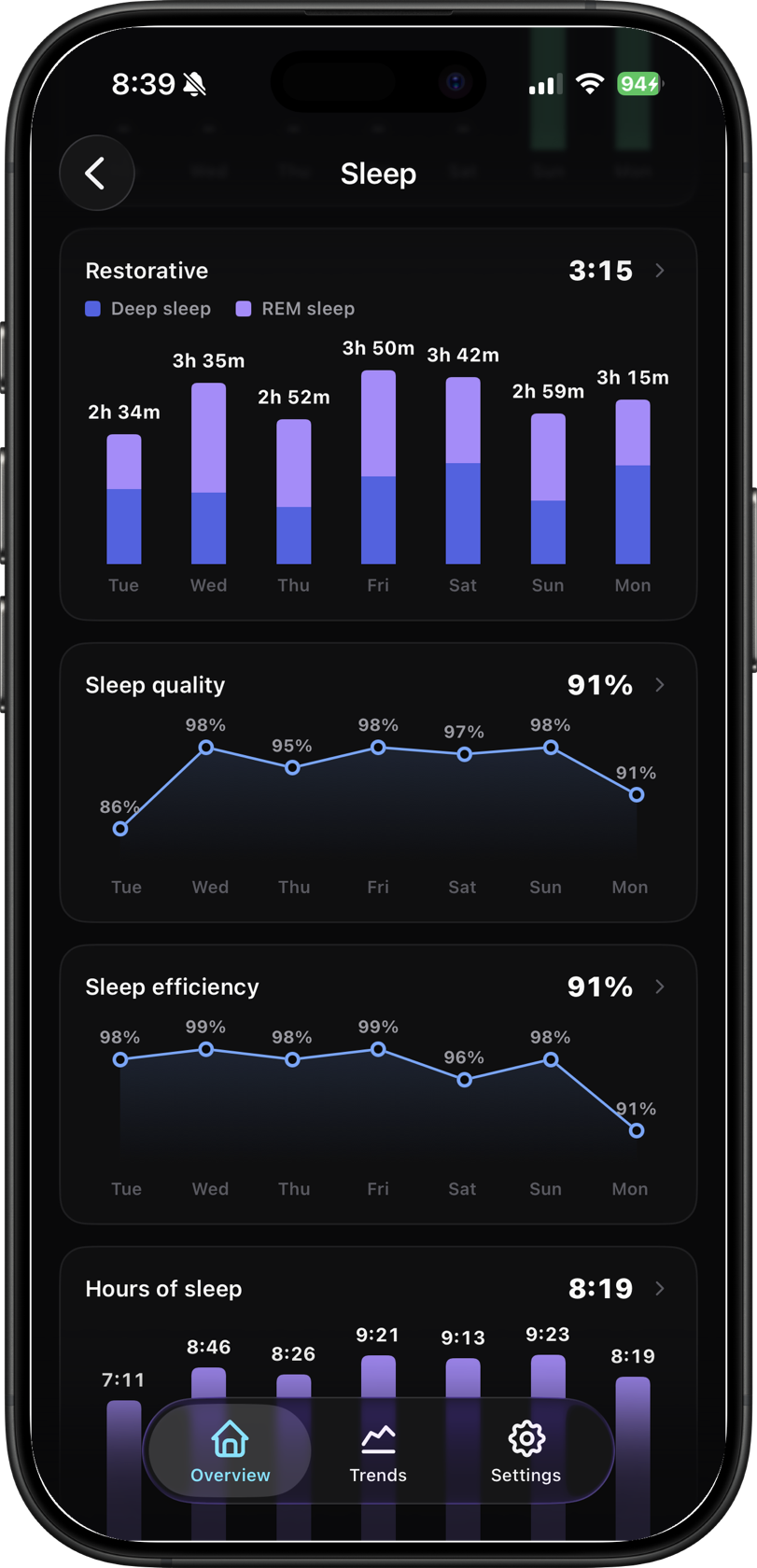
Sleep, decoded
Last night the way a sleep lab would show it: deep, REM, light and awake on one timeline, overnight heart rate, and how your hours stack up against what your body needs.
Recovery score
A daily readiness read from your own HRV and resting heart rate.
Daily strain
How hard your body actually worked. No chest strap required.
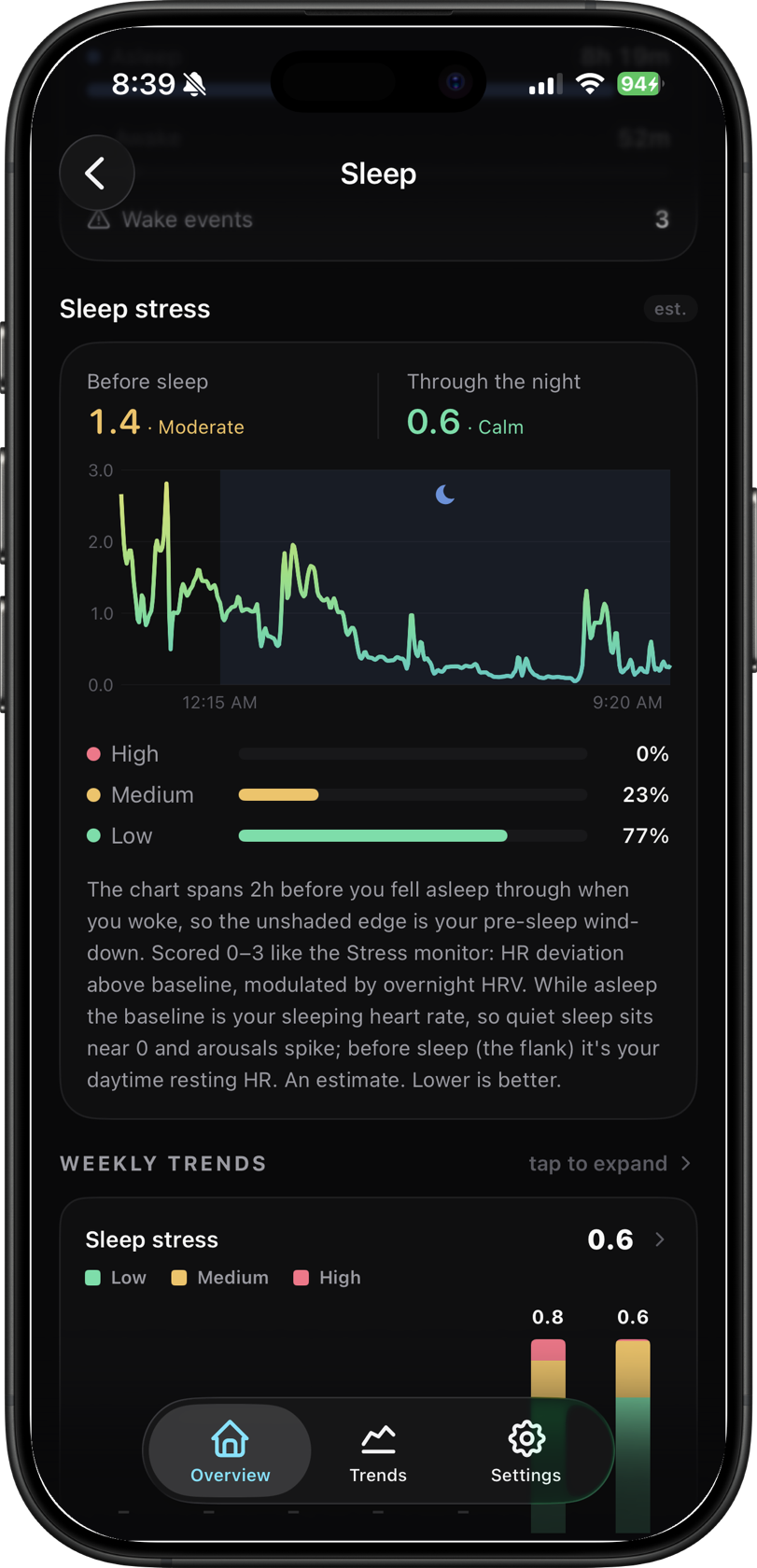
Stress, morning to night
Daytime activation from your heart rate, plus an overnight sleep-stress read modulated by HRV, so a calm night and a restless one look completely different.
Trends that go deep
Week, month, and six-month views for every metric (HRV, resting HR, SpO₂, respiration and more), with a Fitbit-style typical-range band so you can tell a real change from normal day-to-day noise.
// new: typical-range baseline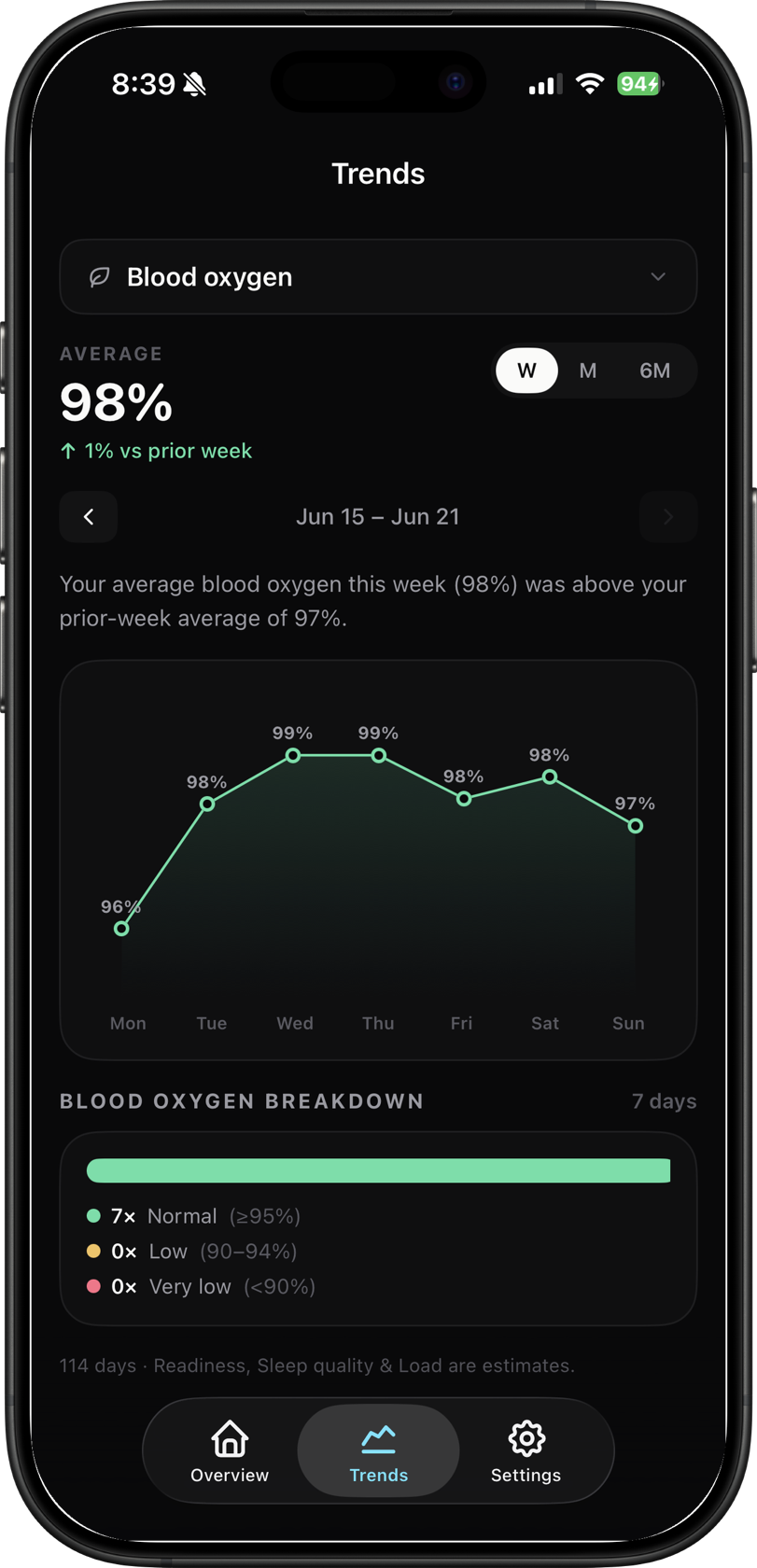
Your health data is yours alone
Most health apps are a funnel into someone's database. OpenFit is the opposite. There is no OpenFit server for your data to land on.
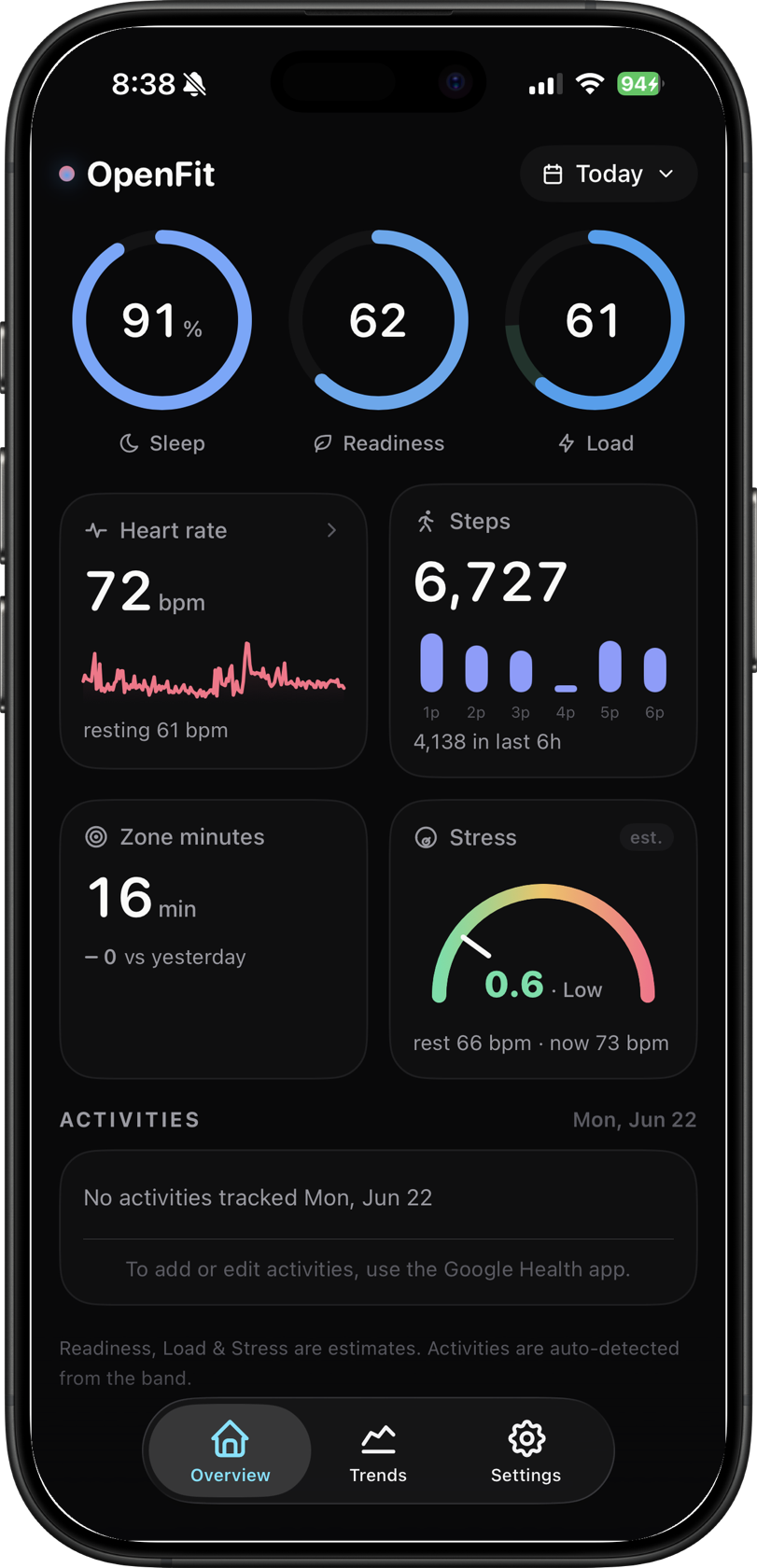
See every screen
Real screens, real data. Built dark-first, designed to be calm.
Built in the open, with testers
OpenFit is shaped week to week by the people using it. Bring your data quirks, feature ideas, and bug reports.
Join the Discord
Get help connecting Fitbit, vote on what's next, see new builds first, and talk recovery, sleep, and HRV with other testers.
Open the OpenFit Discord →Have an invite code?
Already got a beta invite from the community? Claim your TestFlight spot in about a minute.
Claim an invite →Join the beta
OpenFit is in a free, invite-only TestFlight beta with limited spots. Drop your details and we'll add you to the list.
- Request an invite.Submit the Google email linked to your Fitbit so we can allow-list you.
- Install via TestFlight.You'll get a link once you're on the list.
- Connect Fitbit.Open the app → Connect Fitbit → sign in with that Google account.
- See "disconnected"? Tap Reconnect.An expected quirk of beta sign-in. One tap and you're back.
REQUIRES iPhone · iOS 26 · a Fitbit / Google Health account · iOS only for now
Questions, answered
Does OpenFit work with Fitbit?
Yes. OpenFit reads your Fitbit data through Google Health on your iPhone (sleep, heart rate, HRV, steps and more) and rebuilds it into a calm daily dashboard.
Is my health data private?
Yes. Your data flows from Google straight to your phone and stays there. There is no OpenFit server, no account, and no analytics or trackers.
How much does it cost?
OpenFit is free during the invite-only TestFlight beta. There is no subscription.
What do I need to use it?
An iPhone on iOS 26 and a Fitbit or Google Health account. That's it.
Is there an Android version?
Yes. The Android beta reads Health Connect on Android 14 and later. Set up OpenFit on Android →
Why does it say "disconnected" sometimes?
It's an expected quirk of beta sign-in. Tapping Reconnect fixes it in one step, and your data stays safe the whole time.
Stop scrolling. Start reading your body.
Your Fitbit collects more than the Fitbit app shows you. OpenFit gives it back to you, clearly, and only to you.